- Log in to my.ahima.org
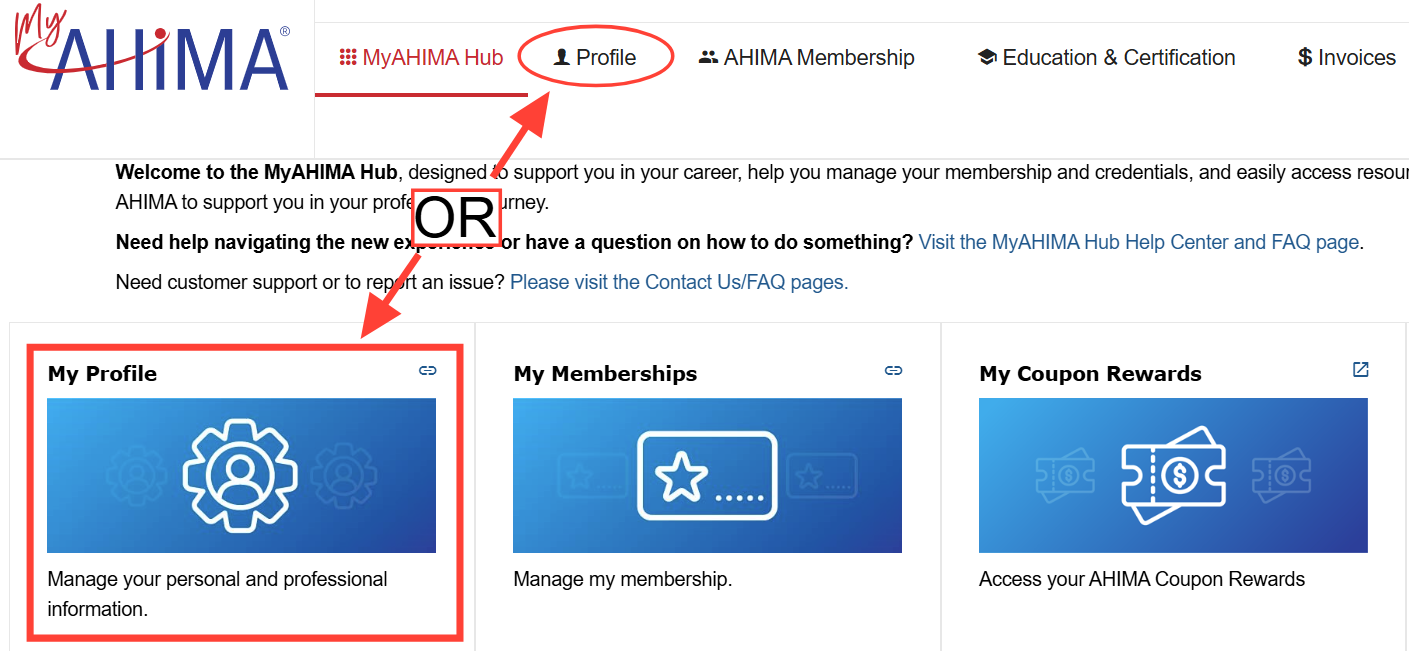
- Go to the Profile tab or navigate to the MyAHIMA Hub, where you will see the My Profile tile
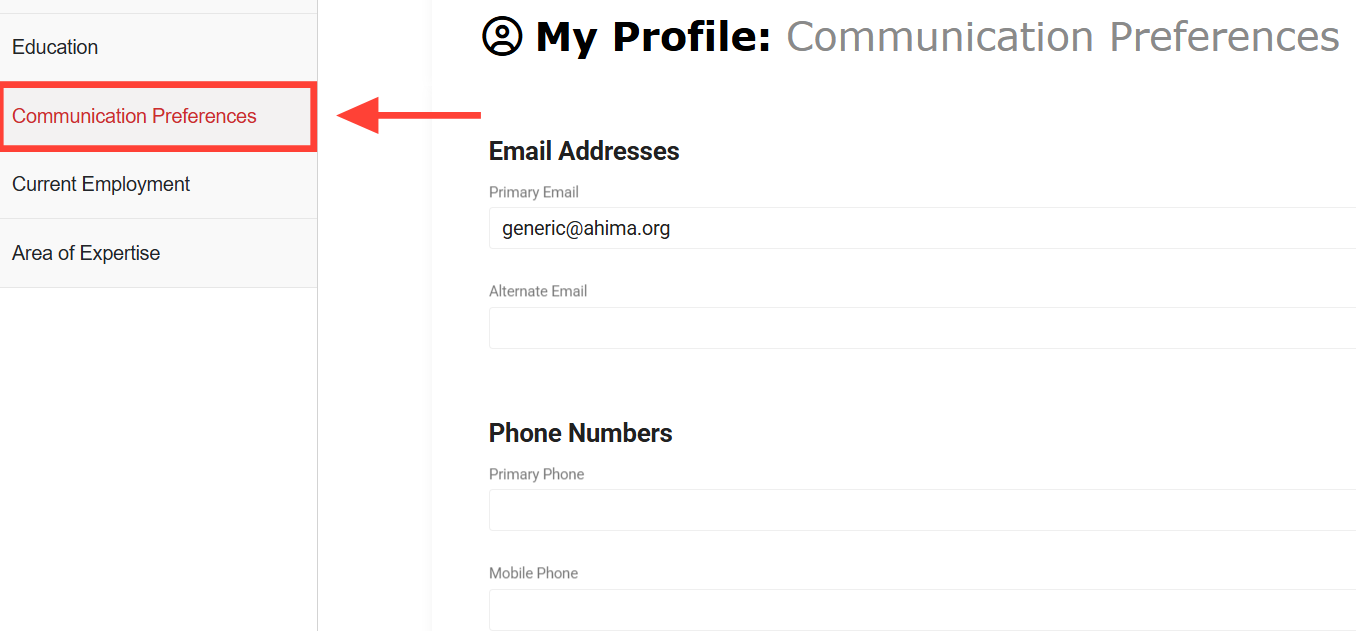
- On the left side menu bar, click on the Communication Preferences
- Locate the Marketing Preferences and opt-in/opt-out using the Opt-in Marketing Materials checkbox
- Click the Save button