Skip to content
AHIMA Answers
Search articles...
Search articles...
AHIMA Answers
/
My AHIMA Hub
/
MyAHIMA Hub
How do I submit a support ticket?
Updated on
Jan 09, 2026
Log in to
my.ahima.org
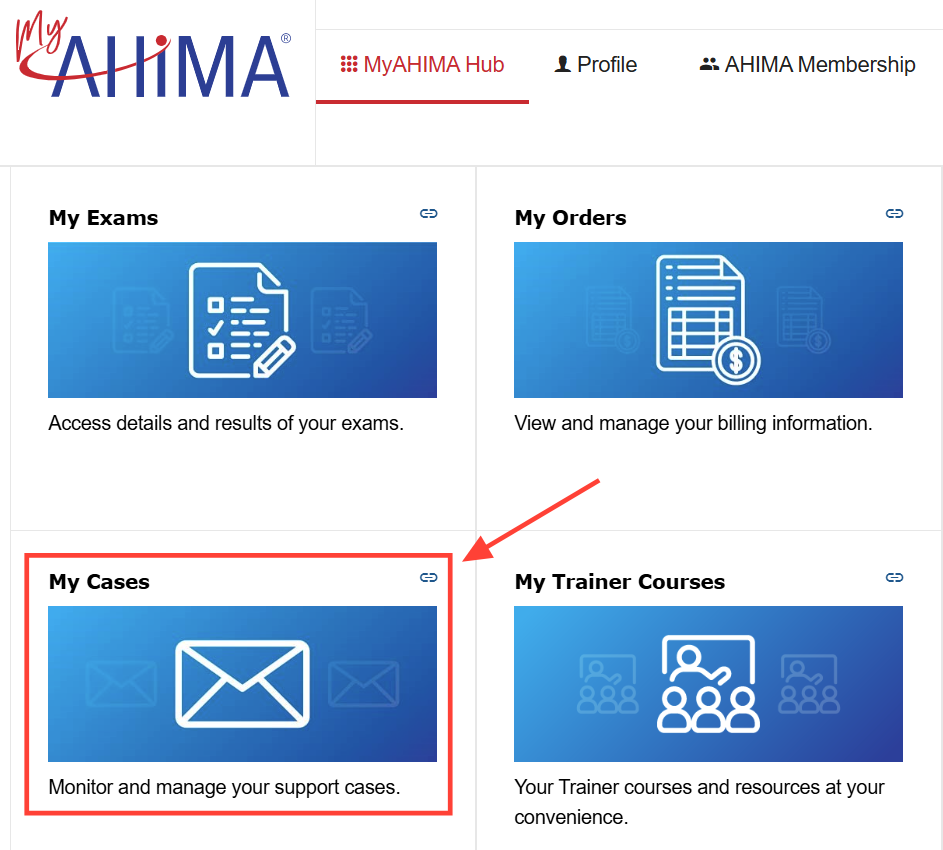
Click on the My Cases tile
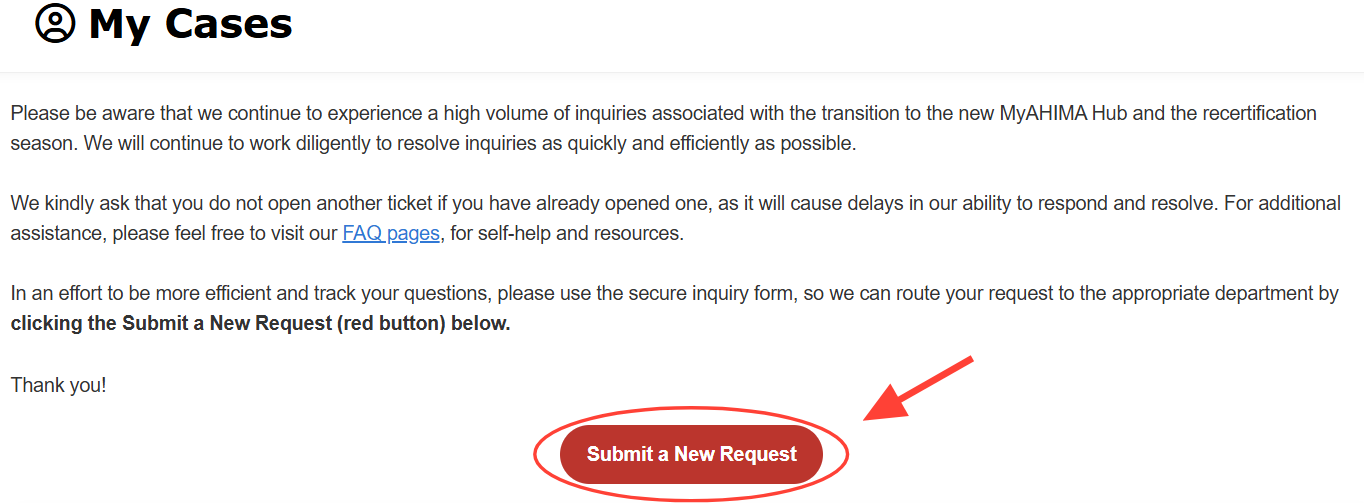
Click the "Submit a New Request" button
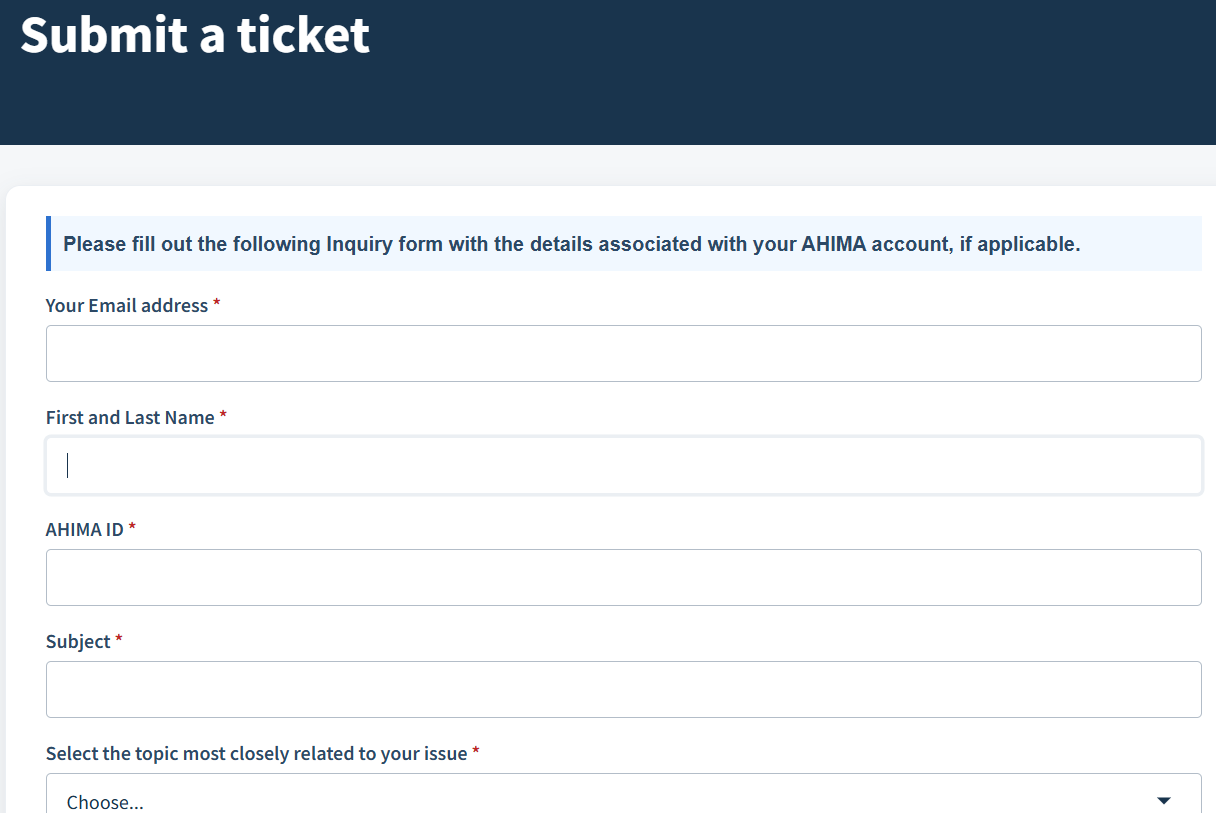
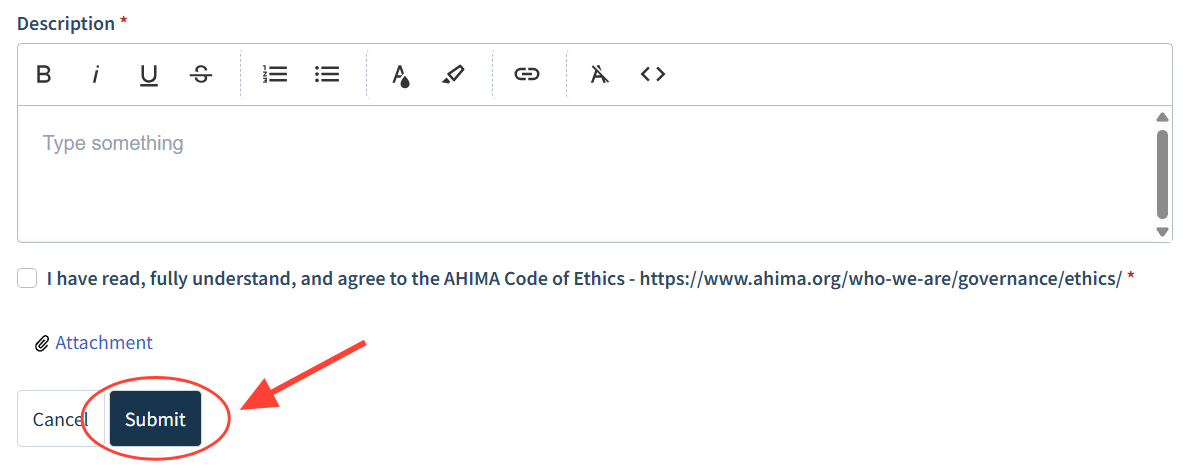
Complete the required case submission information then click the "Submit" button
Checklist item
Previous Article
How do I download/print an AHIMA receipt?
Next Article
Checklist item
How do I update my profile?
My AHIMA Hub
MyAHIMA Hub
10
How do I create an AHIMA account and profile?
How do I reset my password?
How do I change my name in MyAHIMA profile?
What should I do if I don’t know or remember the email address I used to create my MyAHIMA account?
Should I create a new MyAHIMA account if I can’t remember the email address for my old one?
How do I download/print an AHIMA receipt?
How do I submit a support ticket?
How do I update my profile?
How to opt in/out of communications and communication preferences?
How do I log into AHIMA Access?
Other Resources
AHIMA Press
Online Education
Webinars
VLab Student Resources
Instructor Resources (VLab, CourseShare, etc.)
Online Learning Platform (LMS)
Membership
Certification
Recertification
Microcredentials
Print Article
Didn't find your answer? Submit a customer support ticket here!
Submit A Support Ticket