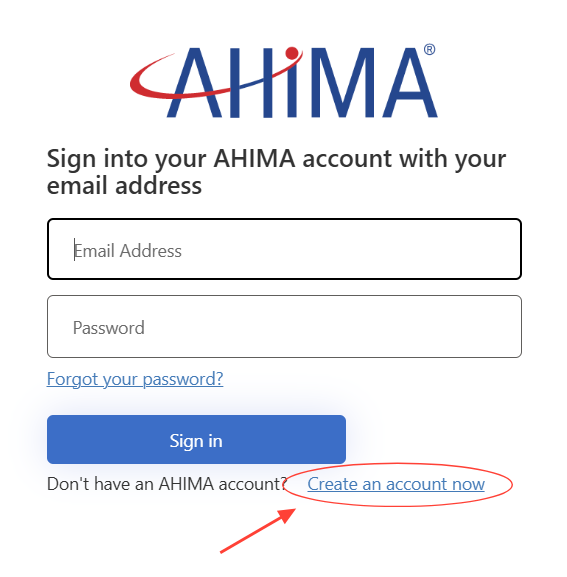
- Enter your email address in the field provided
- Click on Send Verification code
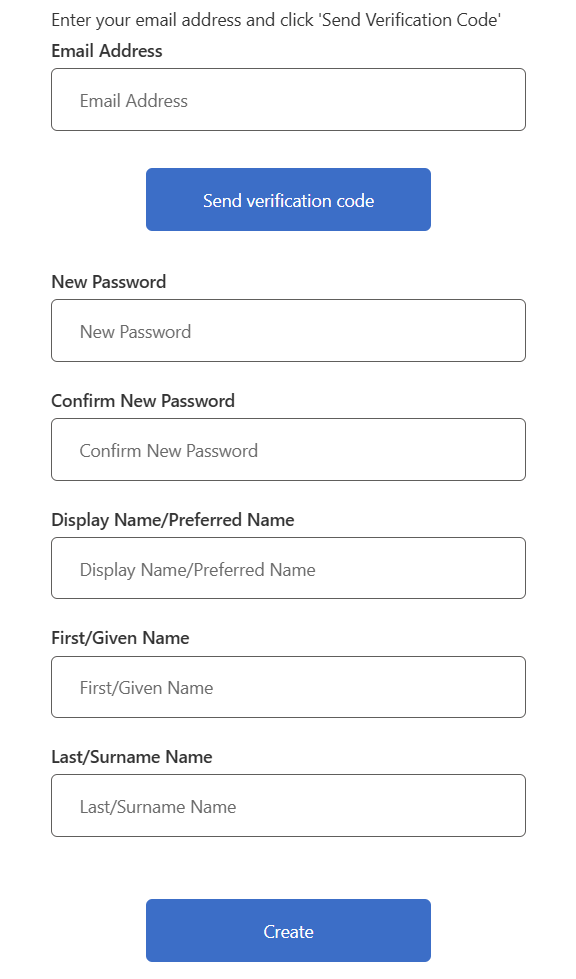
- Check the inbox of email address you entered for an email from AHIMA that includes a verification code
- Enter the verification code in the field provided and click on "Verify Code"
- Enter and confirm a password.
Because your privacy is important AHIMA requires a complex password. (8-16 characters, containing 3 out of 4 of the following: Lowercase characters, uppercase characters, digits (0-9), and one or more of the following symbols: @ # $ % ^ & * - _ + = [ ] { } | \ : ' , ? / ` ~ " ( ) ;)
- Enter a Display Name (how you would like your name to appear)
- Enter your First Name or Given Name
- Enter your Last Name or Surname
- Click Create
Once completed, you will be logged in with a new account. Be sure to click "Profile Management" at the top of the page to complete your AHIMA profile.