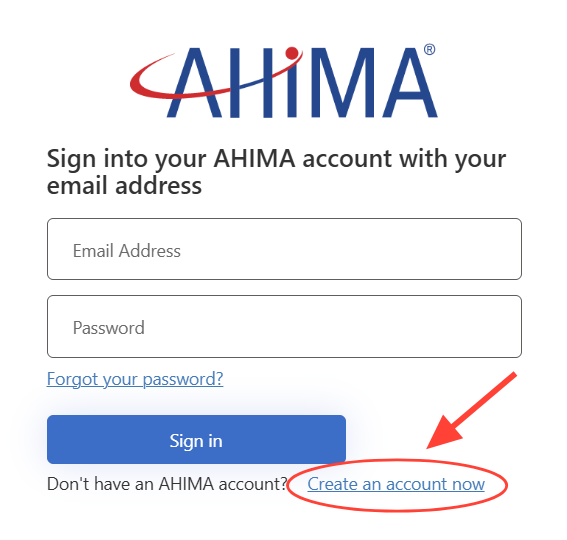
To access any digital product at AHIMA, you’ll need to have a MyAhima account. If you do not already have an account, you’ll want to create one now. To create an account, go to my.ahima.org and click on “Create an Account Now.”
On the physical card that came with your bundle, locate the product code (to the left of the scratch-off code)
Select the matching code on the list below to expand the instructions for that bundle, then follow the instructions.
Books bundled with VLab™ Medical Coder or AHIMA VLab™ Health Information Administrator access
- Click on this link to access the MyAHIMA Learning Center
- Sign into your MyAHIMA Account (if you do not have an account, create one now)
- Click on “Add Code+”

- Enter the code found under scratch-off portion of your printed bundle card in the “Event Registration Code” box
NOTE: Make sure to copy the code exactly – be careful of characters such as 0, O, 1, I, L, and other letters or numbers that can easily be mistaken for other characters.

- Click “Register for event”

- On your Learning Center page, select the “Play” button to the right of the VLab course line

- Select your institution’s name using the dropdown menu

- Click “Select Group”

Books bundled with Exam or Exam Preparation access
- Confirm exam eligibility
You must confirm eligibility before you purchase or register for the exam. Refer to https://ahima.org/certification to obtain information about our exams and exam eligibility requirements.
Review the candidate guide before purchasing or registering for your exam. See certification FAQ for more details.
We recommend registering for the exam when you are prepared. You will have 120 days to take your exam once it has been approved.
- Order and Register for an AHIMA certification exam
Go to the AHIMA Store and select the certification exam that corresponds to the bundle you have purchased.
Select the purchase option to add the exam to your cart.
- Enter AHIMA User ID and Password
An AHIMA user ID and password is required to proceed with the exam registration.
Enter your AHIMA user ID and password in the indicated fields. If you have forgotten your user ID or password, select "Forgot Your Password?" to reset it.
If you do not have an AHIMA account, one can be created at this time.
- Complete the Application
Ensure your legal name (first and last) and email address is correct.
Fill out the required fields on the application. Fields marked with a red asterisk (*) are required.
- Reveal Coupon Code
Gently scratch off the sticker on the bundle card from the bundle you purchased to reveal your coupon code. The coupon code cannot be shared or transferred.
- View your shopping cart
Confirm the certification exam corresponds to the bundle you purchased.
Enter the revealed coupon code in the designated space labeled “Promotional Code” and select “Apply.”
The total should now be $0.00.
Select “Finish.”
You will receive confirmation that your request was received within 24 hours via email.
- Next Steps
You will receive your ATT (Authorization to Test) letter from Pearson VUE within 5 business days via email.
You will have 120 to schedule and take your exam. The scheduling process is provided on the ATT letter. For more information you can view Scheduling Exam Instructions and Information.
Books bundled with Student Membership access
- Go to https://my.ahima.org/join.
- Select “Student Membership."
- Authentication is required in order to proceed with student membership registration. Therefore, an AHIMA user ID and password are required. If you do not have an AHIMA account, one can be created at this time.
Enter your AHIMA user ID and password in the indicated fields. If you have forgotten your user ID, password, or both, click Forgot Password or ID to reset them.
If you do not have an AHIMA account, complete the “New to AHIMA” section.
- After successfully logging in, the Membership Application screen will appear. Complete the required fields and select “Next” at the bottom of each page until the Checkout page.
- On the Checkout screen, enter your code in the “Promotional Code” field and click “Apply.”
- Once the code is applied, the discounted total should be $0.00.
- Click “Finish” to complete the registration.
- Welcome to AHIMA student membership!