- After you submit/purchase your certification exam, you will receive a product purchase email (Appendix 1).
APPENDIX 1
Subject Line: Credential Exam Receipt
Dear Candidate,
Thank you for your order with AHIMA! This email is confirmation of receipt of your order. Details of your order are shown below for your convenience.
Once you have been approved to take your certification exam, you will receive your ATT letter with further instructions on how to schedule your exam.
If you are required to submit additional documentation (i.e., ADA documentation; for RHIT/RHIA candidates: transcript or early testing form), you will receive your ATT letter once we review and approve the documentation you submitted. A representative will be in touch if further documentation is required.
Order Number:
Certification:First name/Last Name:
Address1:
City:
State:
Postal Code:
Country:
Phone:
Primary E-Mail:Payment Summary:
Paid Amount:
Paid Date:Please contact AHIMA if you require assistance regarding your order at [email protected].
Sincerely,
Certification
AHIMA® | American Health Information Management Association®
201 West Lake Street, #226, Chicago, Illinois 60606 - Once you are approved to take your certification exam you will receive an Authorized to Test (ATT) email (Appendix 2).
APPENDIX 2
Subject Line: Authorized to Test (ATT) Email
Dear Candidate,
You are approved to schedule your Certified Coding Specialist exam through Pearson VUE. The exam eligibility period is 120 calendar days from the application approval date. This means that the exam must be scheduled and taken within those 120 calendar days. Please "click here" to review important exam information prior to your exam appointment.
INSTRUCTIONS ON SCHEDULING YOUR EXAM
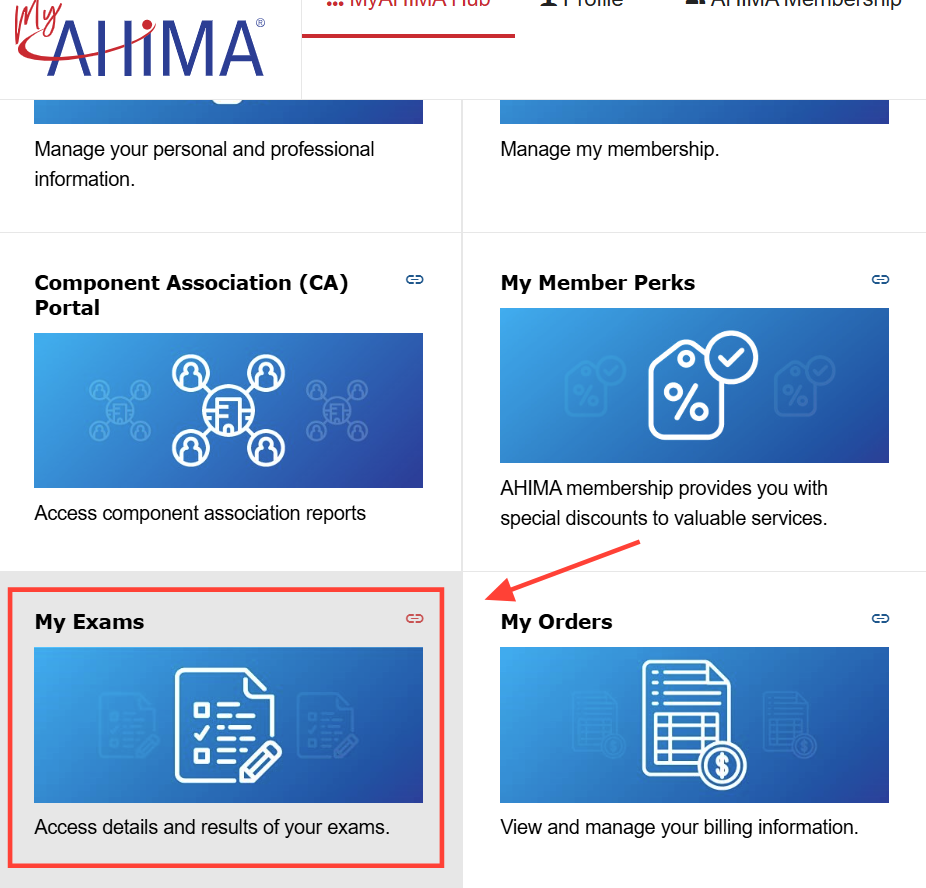
To be taken to the Pearson VUE website to schedule your exam, login to your AHIMA account. Hover over Education and Certification, hover over Certification, and click on "My Exams". Click on the blue “Schedule” button to schedule your exam directly through Pearson VUE. You will be able to select a date and time at a testing center of your choice. We encourage you to make an appointment soon, before all seats are taken.
ADA APPLICANTS
If you are approved for ADA accommodations, you will receive a confirmation email from AHIMA within 5-7 business days. Please do not schedule your exam until you receive the confirmation email. The confirmation email will provide the phone number you must use to schedule your AHIMA exam. ADA candidates who do not schedule their exam through the proper channels will not receive their approved accommodations.
EXAMINATION DAY
Please arrive 30 minutes before your scheduled appointment time. This will provide adequate time to complete the necessary sign-in procedures. If you arrive more than 15 minutes late for an examination, you will be considered a no-show and forfeit your exam fee.
ID POLICY
You must be prepared to show two (2) valid, non-expired forms of personal identification. The candidate first and last name on personal identification must match exactly as shown in this letter. If a candidate arrives with the incorrect personal identification they will not be allowed to test and will forfeit their exam fees. For more information on the acceptable forms of identification, please visit www.pearsonvue.com/ahima.
CODE BOOK INFORMATION (FOR CCA, CCS, AND CCS-P EXAMS ONLY)
Please visit AHIMA's Certification website prior to your testing date. Click "Exam Name" for information for the exam that you are taking, then go to the Mandatory Code Book section for the versions of the coding books you're required to bring to the testing center for the exam.
IMPORTANT EXAM DETAILS (FOR CCA ONLY)
Each question must be answered before navigating to the next question. Once you have navigated to the next question, you will NOT be able to move back to a previous question to review or change your answer. After answering all questions, you will NOT be able to review any answers at the end of the exam. If your exam is scheduled May 01, 2026 or later, you will be able to navigate back and forth between questions.
RESCHEDULE AND CANCEL POLICY
If you wish to reschedule or cancel your exam appointment, you must do so at least one full business day (24 hours) before the appointment via the Pearson VUE website or call center. Appointments must be rescheduled within the authorized exam delivery period. All registrations with accommodations must be rescheduled or canceled through the call center. If you cancel your exam appointment, you must also inform AHIMA and contact AHIMA regarding refund policies. If you cancel or reschedule your appointment between 14 days and one full business day (24 hours) prior to your appointment time, you will be charged $30 directly through Pearson VUE. (This $30 fee cannot be refunded.) If your request is made less than one full business day (24 hours) before your scheduled appointment time, or you fail to arrive for your appointment, you will be considered a no-show and you will forfeit your exam fee.
REFUND POLICY
All refunds must be sent to and processed by AHIMA; Pearson VUE cannot process refunds for candidates. A cancellation of an exam appointment does not constitute an exam refund. Candidates may request a refund for their exam application up to fourteen (14) business days prior to their scheduled test date or eligibility end date.
Once a candidate has canceled their exam appointment with Pearson VUE and if eligible for a refund, the refund request should be submitted through the secure inquiry form. Refund requests are subject to a $75 nonrefundable processing fee in addition to any applicable cancellation fees.
AFTER THE EXAM
After completing the examination, candidates will be asked to report to the proctor to receive their score report or test completion notice. Candidates who pass the examination can view and print their certificate in their CEU center within 48 business hours by logging into My AHIMA hub and navigating to the CEU center. If you are interested in ordering a hard copy certificate or frame, please click here.
For assistance, please visit the Contact Us page on the AHIMA website. From there, you can review frequently asked questions and resources or choose the support option that works best for you, including live chat, phone, or submitting a question through the secure inquiry form.
Sincerely,
Certification
AHIMA® | American Health Information Management Association®
201 West Lake Street, 226 | Chicago, Illinois 60606 - Once you receive the ATT email, you may schedule your exam directly through Pearson VUE.
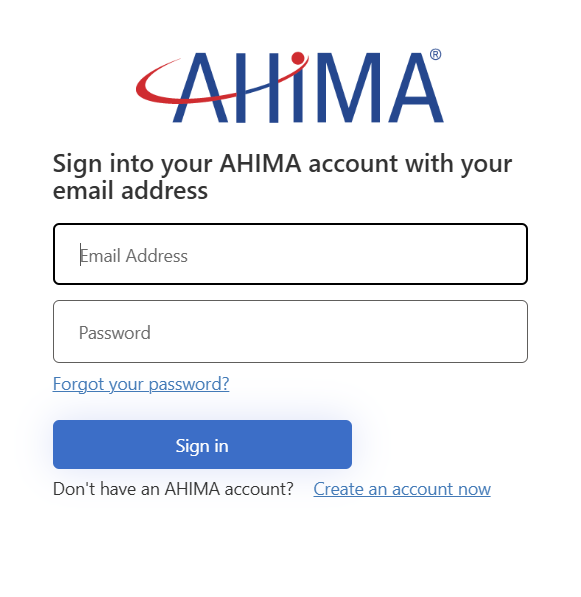
- Log in to your AHIMA account.
- Navigate to My AHIMA hub and click on “My Exams.”
- Click on the Schedule (blue) button. This will take you directly to the Pearson VUE page to schedule your exam.